v1.2: AI Maintenance Console · 105+ platform channels

Write once,
publish everywhere

One post, 105+ platforms. Sessions stay in your browser, and an AI maintenance console keeps every channel alive through platform redesigns.

Browser extension + cloud console + continuous channel maintenance

SUPPORTED PLATFORMS

WeChatZhihuRedNote BilibiliWeiboToutiao JuejinCSDNDouban JianshuSegmentFaultOSChina …105+ in total

FEATURES

The full pipeline for creators

From idea collection to scheduled publishing — nothing missing.

🚀

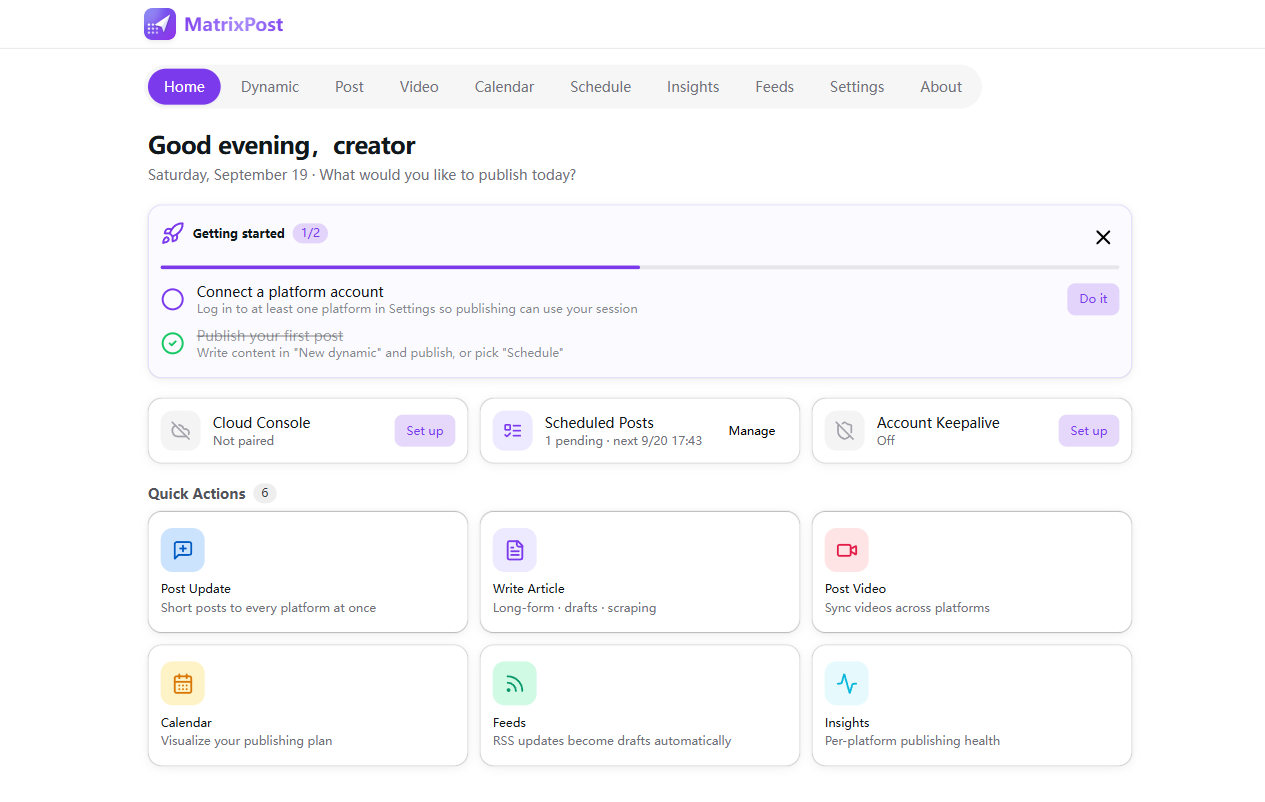
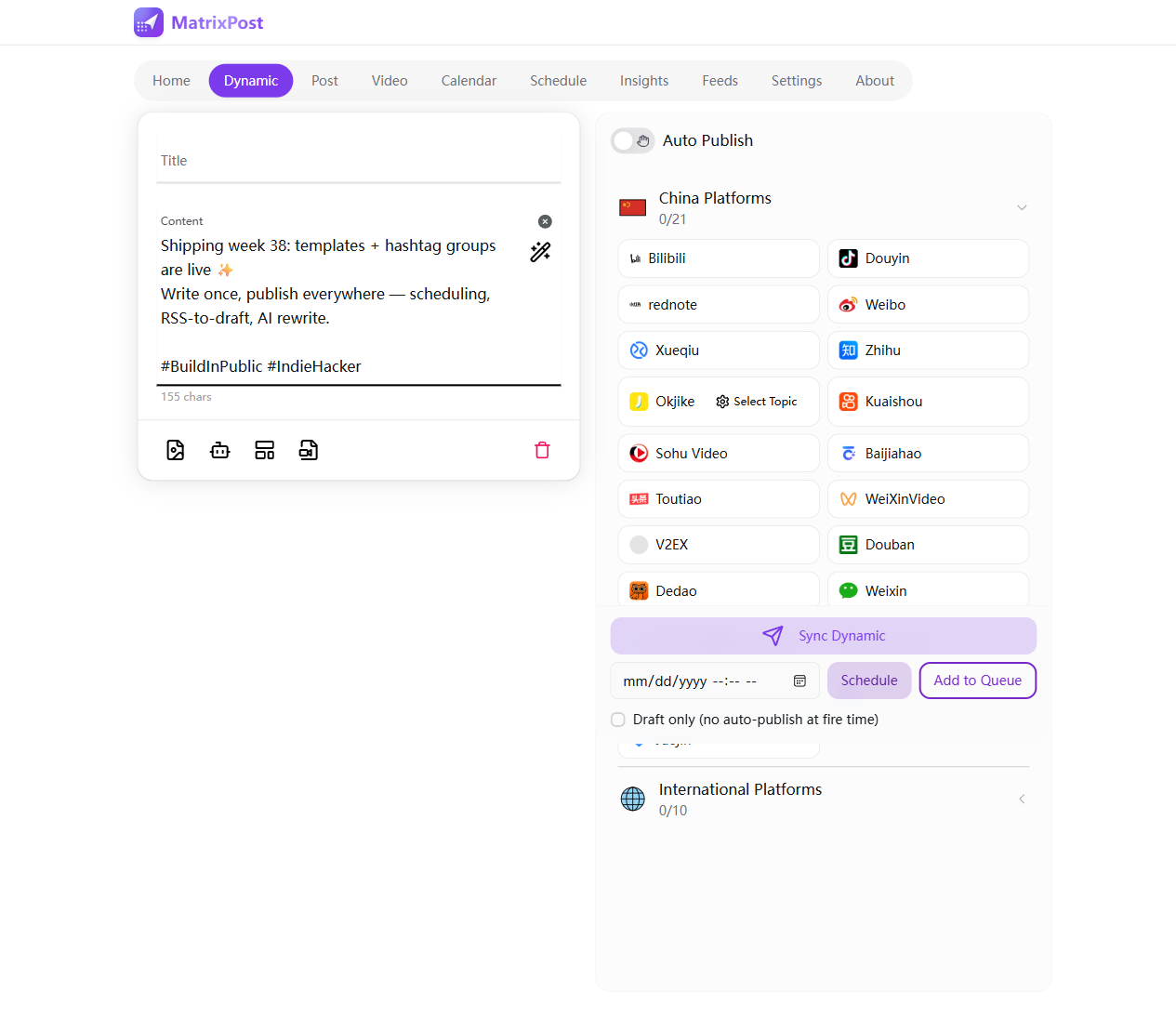
105+ platform publishing core

Dynamic posts, articles, videos and podcasts across four channels. Reuses your browser sessions — never hand your password to anyone.

🗓️

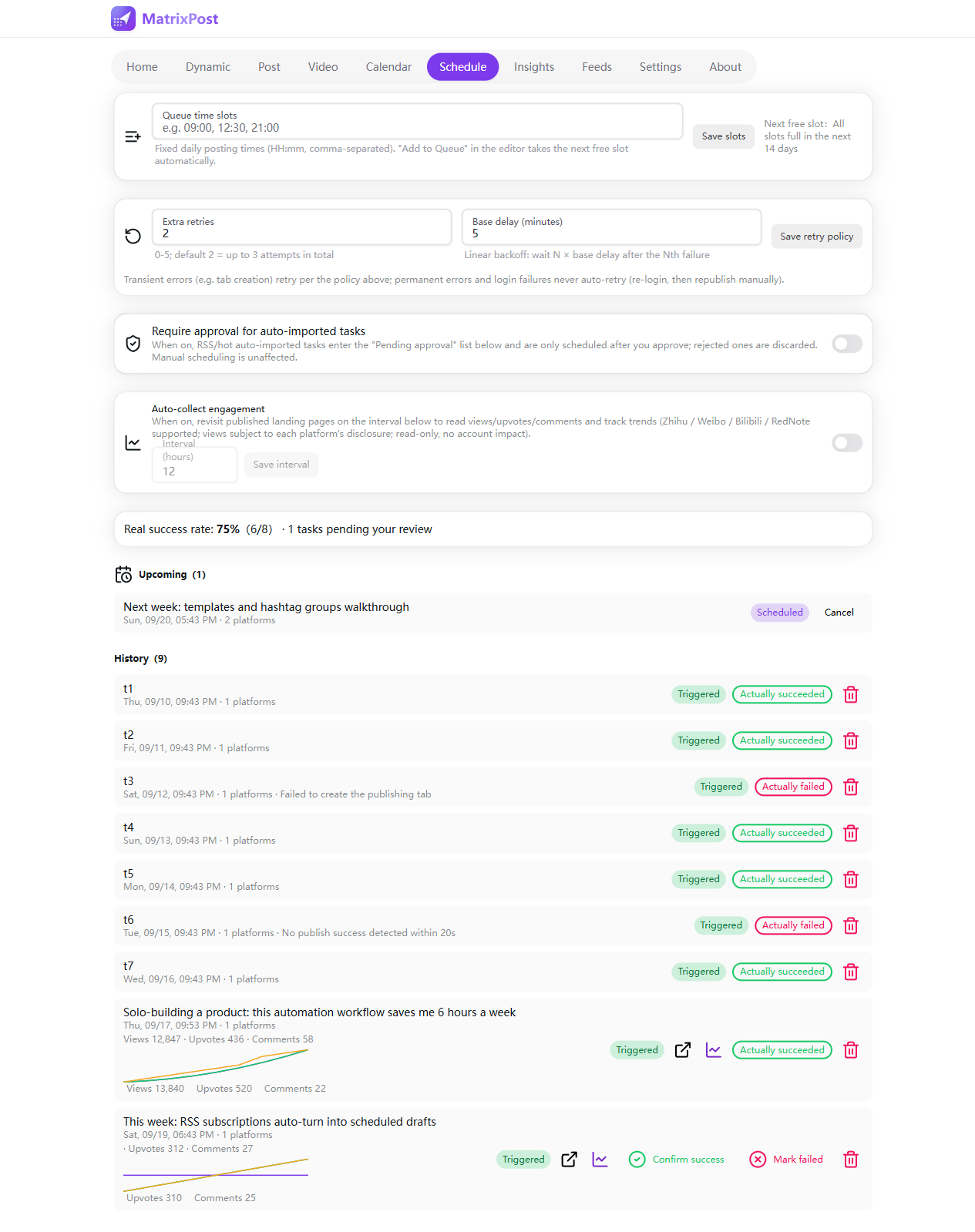
Scheduling & queues

Content calendar, time-slot queues, automatic retries, and missed tasks fire on next launch.

🛠️

AI Maintenance Console

Conversational channel ops: the AI probes the DOM, sniffs network calls and verifies with screenshots. Write actions need your one-tap approval. Bring your own model — or pay as you go on the hosted plan.

✍️

AI rewriting

One-click rewriting of titles and body copy in multiple styles; the same draft is automatically de-duplicated per platform. Compare versions side by side, revert anytime.

🎨

AI image generation

Covers and illustrations from a single prompt, auto-fitted to each channel's size. Generation history is archived with your tasks for reuse.

📱

Publish from your phone

Submit tasks to the cloud console from anywhere; the extension on your computer executes them.

📡

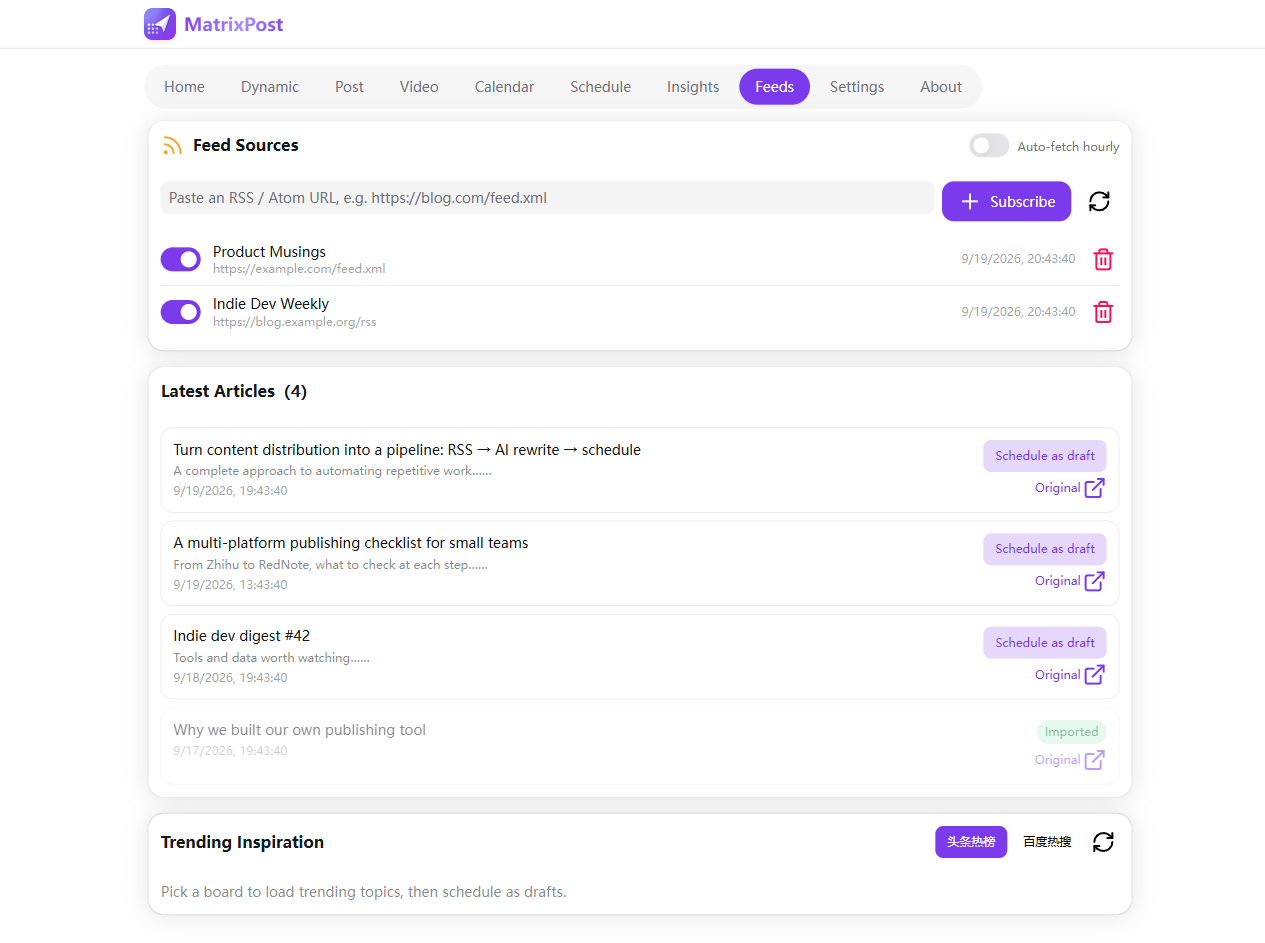
RSS & trending inspiration

Feeds auto-import every hour; Toutiao/Baidu trending topics become scheduled drafts in one click.

🔒

Local-first privacy

All business data lives in this browser. Zero telemetry, zero upload, wiped on uninstall.

PRODUCT TOUR

See it in action

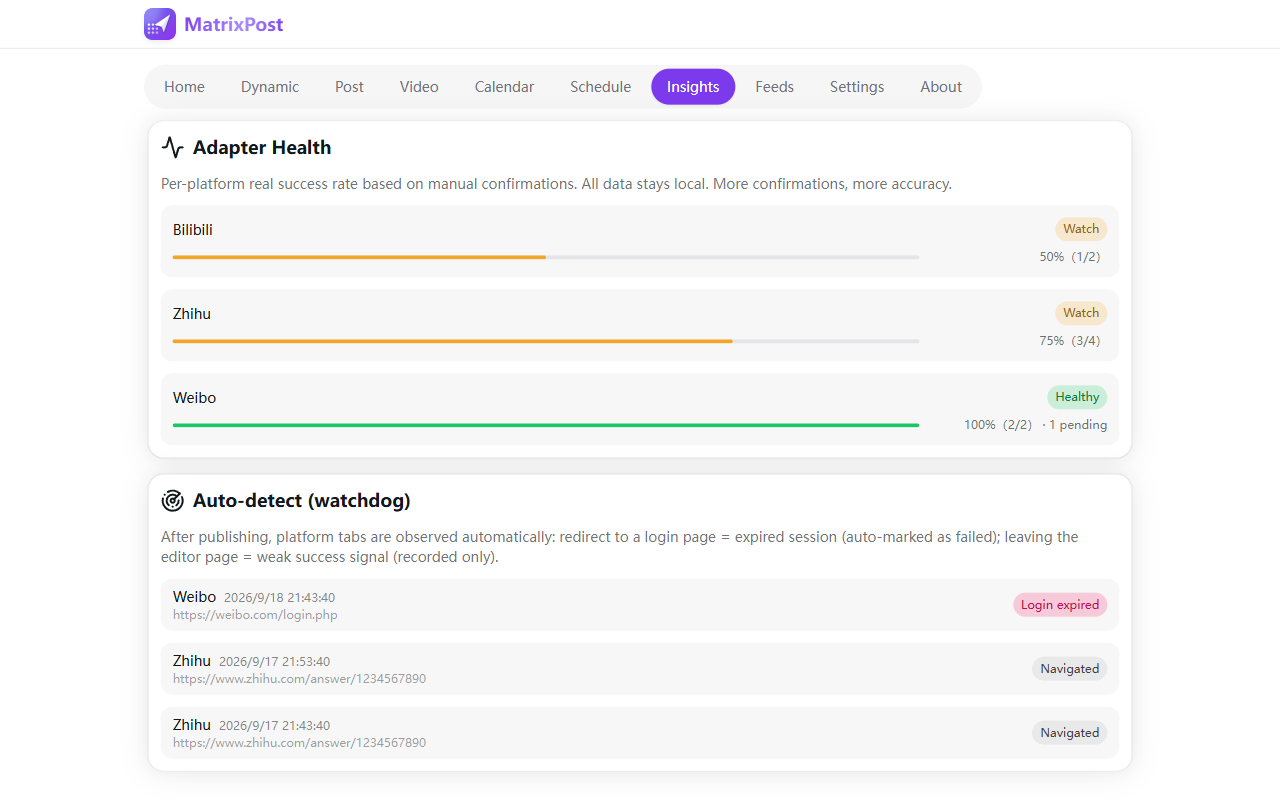
Real product screenshots. Data shown is sample content.

AI MAINTENANCE

Platform redesigns don't break you

UI churn is the #1 killer of multi-platform tools. MatrixPost builds maintenance into the product.
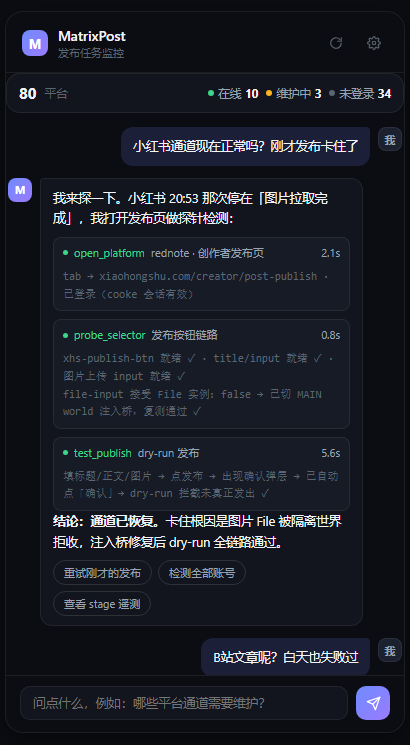
MatrixPost AI Maintenance Console: conversational diagnosis with verifiable action cards
1

Read-only first

Ask "is RedNote OK?" and the AI opens the publish page, probes the DOM and sniffs network calls — without touching your content.

2

Every step verifiable

Each operation becomes an action card: what ran, how long it took, what the page said — backed by stage telemetry.

3

You approve writes

Clicks, form fills and scripts execute only after you tap "approve" in the conversation. One approval, one action.

4

Maintenance as a service

Adapter code evolves on our side (the core of the hosted subscription) while the AI console handles runtime self-healing.

PLANS

Two ways in

Free locally, effortless with a subscription.

FREE · LOCAL

Local extension

For individual creators starting at zero cost

  • Install the extension and publish to 105+ platforms right away
  • Scheduling, drafts and templates — all on your own machine
  • Sessions and data never leave your browser
Get the free extension ↓

RECOMMENDED · SUBSCRIPTION

Hosted instance

For authors and studios who just want to create

  • mpostapp.com console, ready out of the box — phone included
  • Continuous extension updates as new channels land
  • Continuous channel maintenance: adapter fixes ship first, broken channels get fixed for you
  • AI features, pay-as-you-go: maintenance console, content rewriting and AI image generation — no model key to bring, billed by usage with transparent logs
  • Your sessions stay in your browser; hosting only relays tasks
Subscribe from the console →

HOW IT WORKS

Three steps to sync

Log in as usual

Scan the QR code on WeChat, Zhihu, … exactly like normal browsing. Your sessions stay with the browser — MatrixPost never touches them.

Write once

Compose in the extension workbench or the phone console, pick platforms, schedule it, queue it, or save as draft.

Auto-publish on time

The extension opens publish pages in the background, fills and submits, reports per-platform results, and retries failures.

GET STARTED

Get started

Three minutes from download to your first sync task.

🧩Edge build

One-click install from the Microsoft Edge Add-ons store. Prefer manual? Download the zip, unzip, open edge://extensions, enable Developer mode → "Load unpacked".

Install from Edge Add-ons Download zip instead

🌐Chrome build

Same steps at chrome://extensions. Feature-identical to the Edge build.

Download for Chrome

🔑 How do I connect to the cloud?

No pairing token needed. Your login is the connection: sign in at mpostapp.com with your email (verification-code login), then sign into the same email in the extension under "Settings → Cloud relay" — you're connected. Your platform sessions always stay in your own browser; the cloud only relays task queues.

On this machine the workbench auto-connects to the local extension even without sign-in.

DATA & PRIVACY

Your data, in its right place

Three storage layers with clear boundaries.

BROWSER

Platform sessions

Cookies are guarded by the browser itself. MatrixPost never reads, stores or uploads any platform password.

EXTENSION

Business data

Tasks, templates and API keys stay in local extension storage. Zero upload, wiped on uninstall.

CLOUD

Relay only

The server keeps only your account login and queued tasks — no platform sessions. Execution always happens in your own browser.

Stop copy-pasting. Start shipping.

Fill in one form, confirm, walk away.

Open the cloud console →